
I recently embarked on a journey to create a to-do list to manage shopping lists between my wife and me. As part of managing a family, it is important for my wife and me to be able to collaborate on shopping lists to ensure we can effectively purchase everything we need to make the family function.
We had used many other apps in the past, such as Apple Notes, Google Keep and Notion to do this, but none of them seemed to tick all the boxes. Apple Notes and Google Keep didn't support item-level comments and had poor tracking of checked items, and although Notion solved those problems, its offline mode was horrendous and unusable at shops with little to no phone reception.
The beauty of building an app for yourself is that you can build very specific features for your use cases without thinking about generalising or scaling for a user base. With that in mind, these were the top features that I implemented:
Offline mode
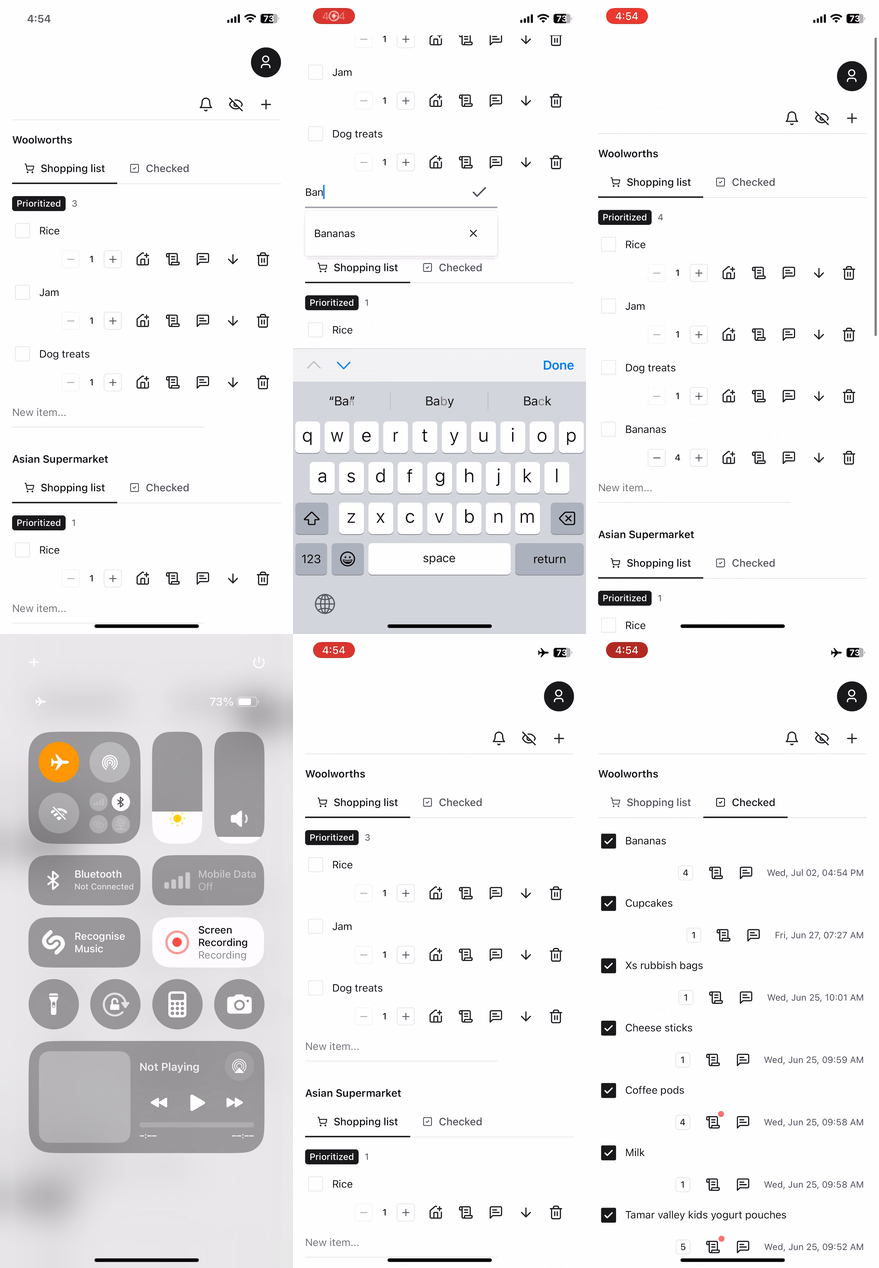
Being able to use the application in areas where there is no phone reception was a non-negotiable feature. There were too many times when I was walking the aisles of a supermarket, and the Notion app would just be stuck on a loading spinner. This was incredibly frustrating to deal with. To make this happen, I needed to use a database with a JavaScript SDK that would automatically manage offline reads and writes and automatically push updates to the cloud upon reconnecting to the internet. Firebase's Firestore database worked a treat. Without having to worry too much about implementing the complex logic, I had to configure how I wanted the local cache to persist and how big the cache would be.
Push notifications
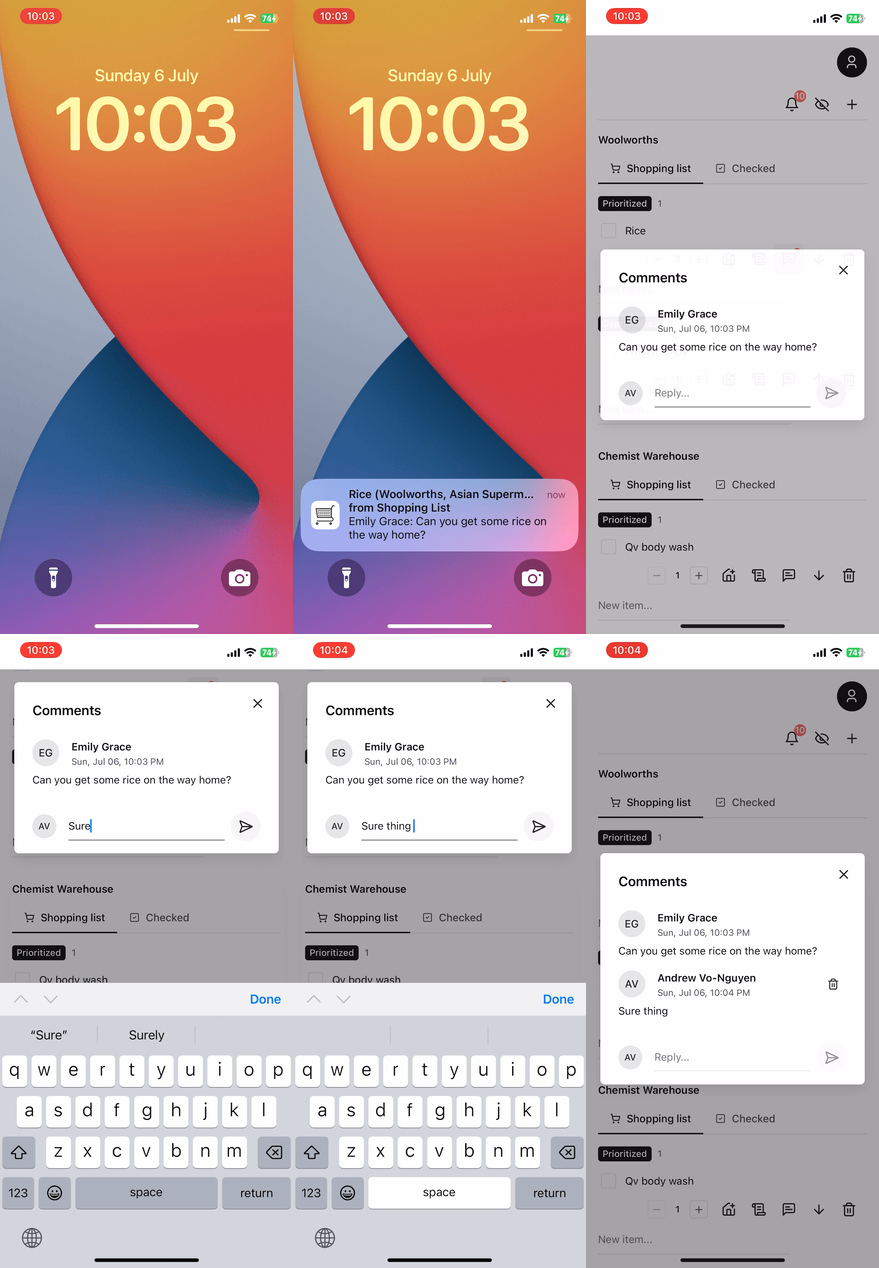
This was an interesting problem to solve because I didn't want to create a native phone application to receive notifications. This would mean publishing to an app store or, at the very least, building and pushing to some sort of testing environment. Given that I wanted my application to be web-only, I had to take advantage of PWA (progressive web apps) and web workers. Luckily for me, Vite had a plugin called VitePWA, and Firebase Messaging could easily handle registering unique tokens and sending messages to clients on the server.
Mobile & desktop friendly
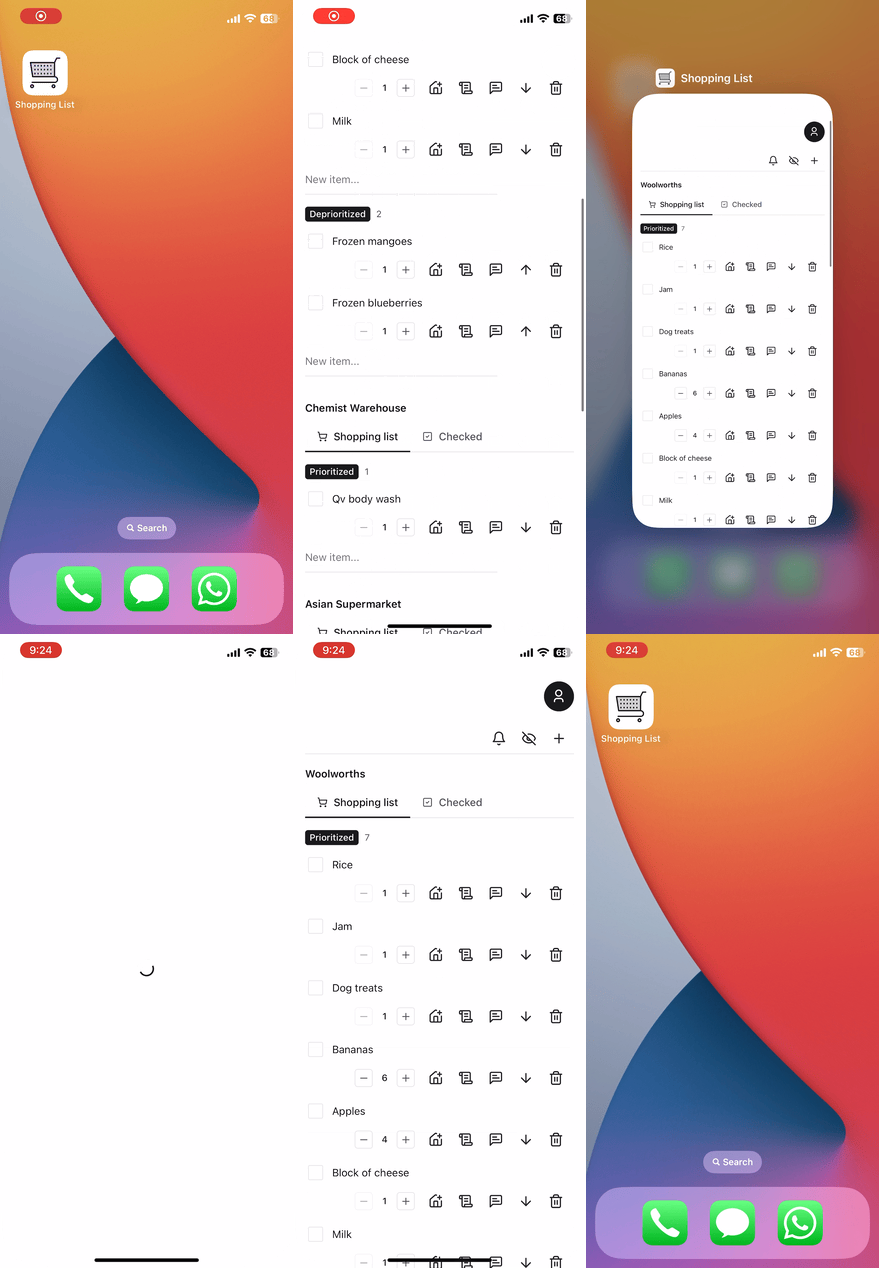
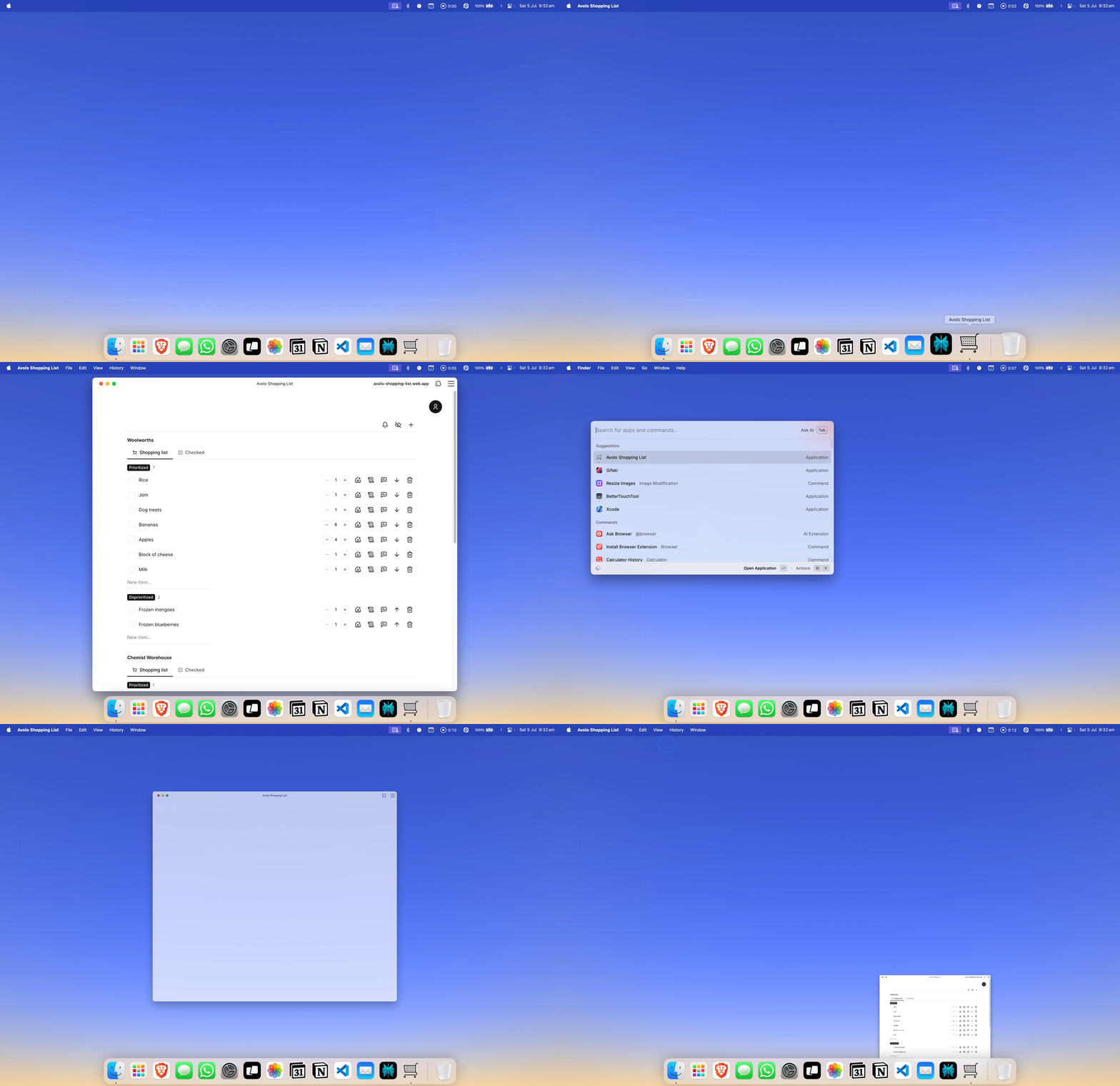
I wanted the user experience to feel as seamless as possible on the mobile as it was on the web, without having to deploy an actual native mobile app. With the use of media queries for the web and the ability to install the web app on an iPhone with its app icon, I was able to emulate the look and feel of a mobile app without jumping through the hoops of building a separate native app and deploying it to the app store. As a bonus, the app was also able to be installed onto my MacBook with a standalone icon in the dock.
Real-time updates
One of the worst experiences users can have is that their version of the truth is not synchronised with the collaborators of the same data. In practical terms, when I check off "bananas" in my shopping list, my wife should see that immediately, so we do not double up on bananas. Thankfully, once again, without thinking too much about the implementation, Firestore is able to provide the web socket and subscription mechanisms out of the box to handle this. Every time data is changed, all UI subscribed to that data is automatically informed, and the UI reacts accordingly. This is an edge case of users being offline and not sending or receiving real-time updates, but this is an acceptable flaw that I can accept.
In-app chat
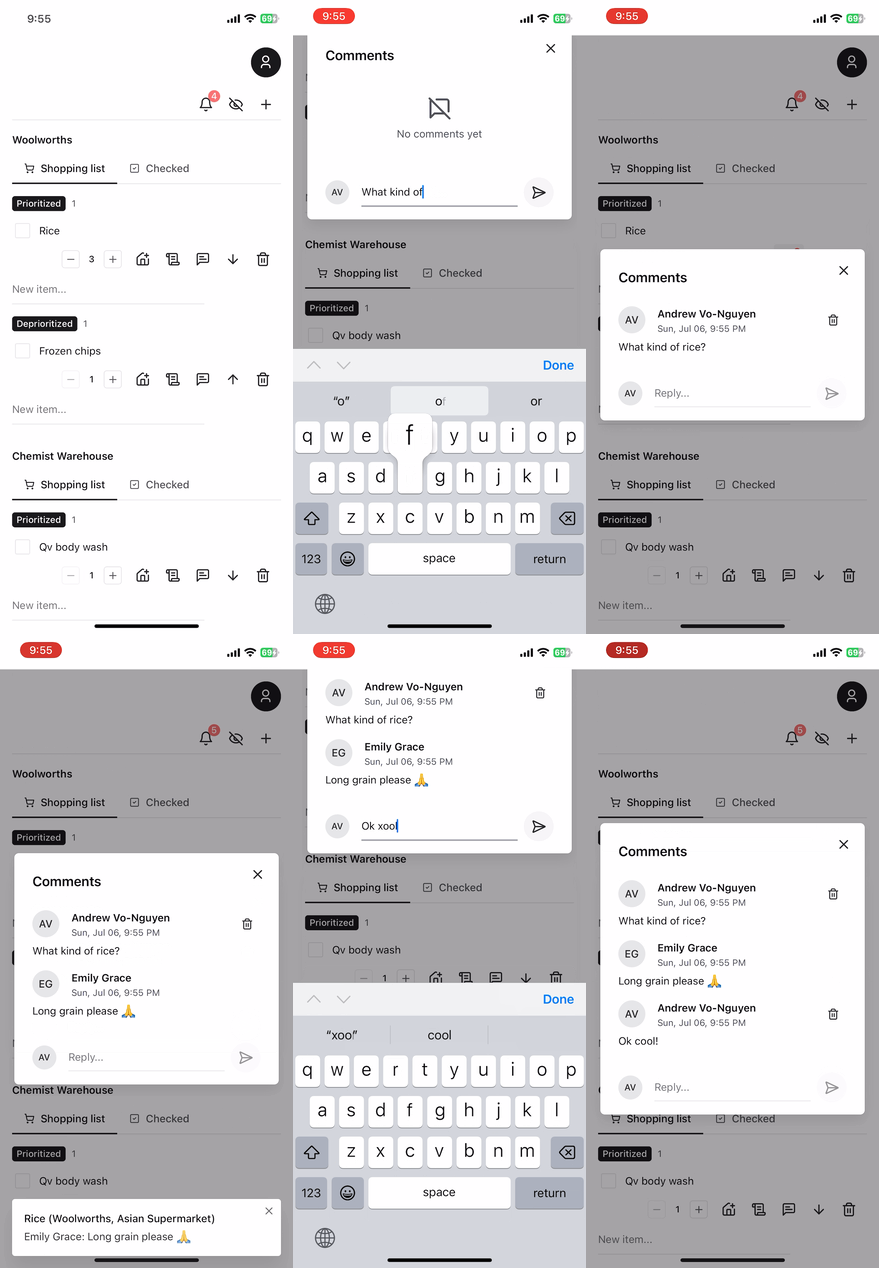
The thing I loved most about using Notion as a shopping list was that my wife and I could interact on an item level. We could chat with each other, post links, comment on instructions, etc., and it would be related directly to a single item. I was able to utilise Firestore once again and use sub-collections to store chat messages under each shopping item. Notes per item were stored as a property of the shopping item's document (NoSQL lingo for database row). Tie this in with Push Notifications, and we have a fully interactive shopping list where no one misses out on any details about a shopping item.
Authentication
As this was a public website on the web, we had to sit this behind some sort of authentication. Using Firebase Auth, it was very simple to implement a simple username and password login strategy. I could also block public signups for new accounts with a tick of a box in the auth configuration. The Firestore database was locked down using Firestore rules to ensure all data was only accessible via authenticated users.
Deployment
One important criterion for this app was that I could deploy it as an SPA. I didn't want to write a web app and a mobile app as separate repositories. Thankfully, as a PWA, it is very straightforward to deploy it as a website using Firebase Hosting. The only caveat is that the PWA manifest configuration has to use the registerType as autoUpdate for it to fetch the latest assets upon loading. This is important because the default setting is set to prompt, which forces the developer to implement an in-app prompt to update the PWA.
User Interface
Lastly, I wanted to move with speed. To me, speed means writing as little code as possible and maintaining as little code as possible. I know there is a shift in the React ecosystem to use shadcn with tailwind. But I'm not a fan of copying and pasting code into my codebase. Instead, I opted for chakra@v3, which is a mature and clean component library that has all the batteries included. It contained all the components I needed, styles as props including media queries and pseudo queries, theming and sensible defaults such as breakpoints, font sizes, colours etc.
Wrap up
The app took me 2 weeks to write, and my wife and I have been using it daily for about 2 months now. Given constant usage and feedback from my wife, I was able to iterate and add features with speed. It was such an exciting project because I was the direct beneficiary of how well it was implemented. This gave me extra motivation to implement new concepts such as PWAs, push notifications and offline mode.